
Tour
Let me show you around.
This is the same tour the app gives you on first launch, in the order you'll actually use it. Calmly, the way I'd show a friend. Skip ahead any time.
Your home base
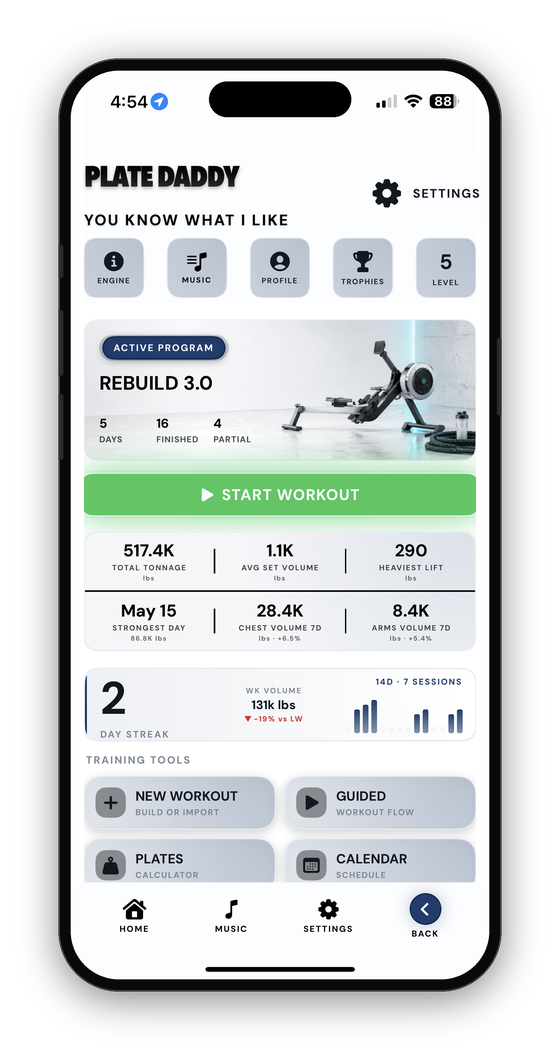
Home is where everything lives. Once you've seen this page, the rest of the app feels small.
- Active programThe plan you're following right now, pinned to Home so today's workout is one tap away.
- Training toolsNew Workout, Guided, Plate Calculator, Calendar, Statistics, Body, Trophies, Meal Planning — a grid of what you'll use.
- Streak and KPIsYour rhythm and the four or five numbers you chose, right where you land.
Training
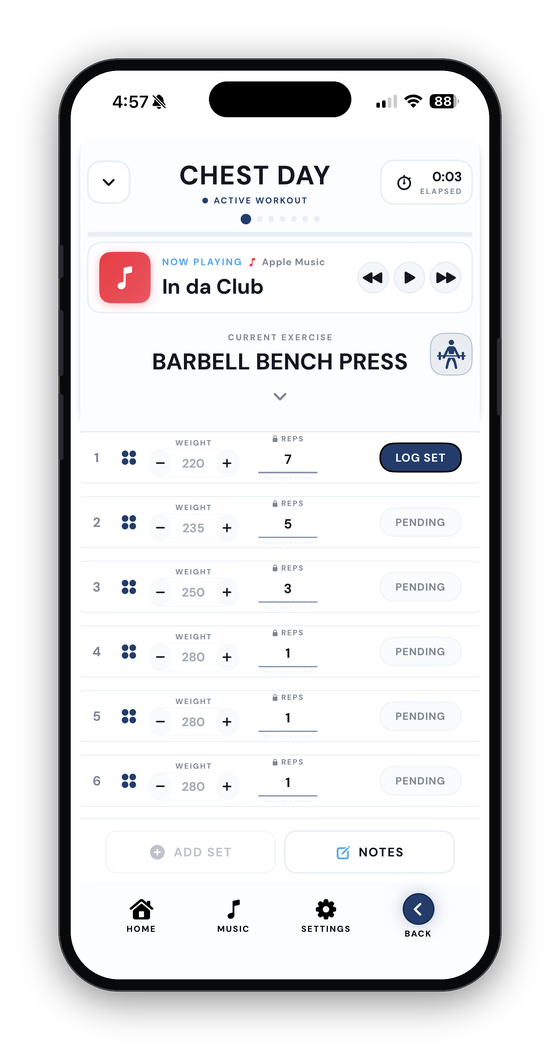
Most of your minutes in Plate Daddy will be spent actually training: picking a day, working through the exercises, logging sets, watching the rest clock. So that's where we begin.
- Log a setLook at the target, change it if reality didn't match the plan, tap LOG. That's the whole job.
- Rest clockStarts on its own. Put the phone down; it keeps running even if you switch apps, on the Lock Screen and Dynamic Island.
- Small touchesA repeat button, a plate calculator, a notes field, history at your fingertips, a warmup toggle.
- Return to WorkoutWandered off mid-workout? There's always a button to drop you right back onto the set you were on.
Building a workout
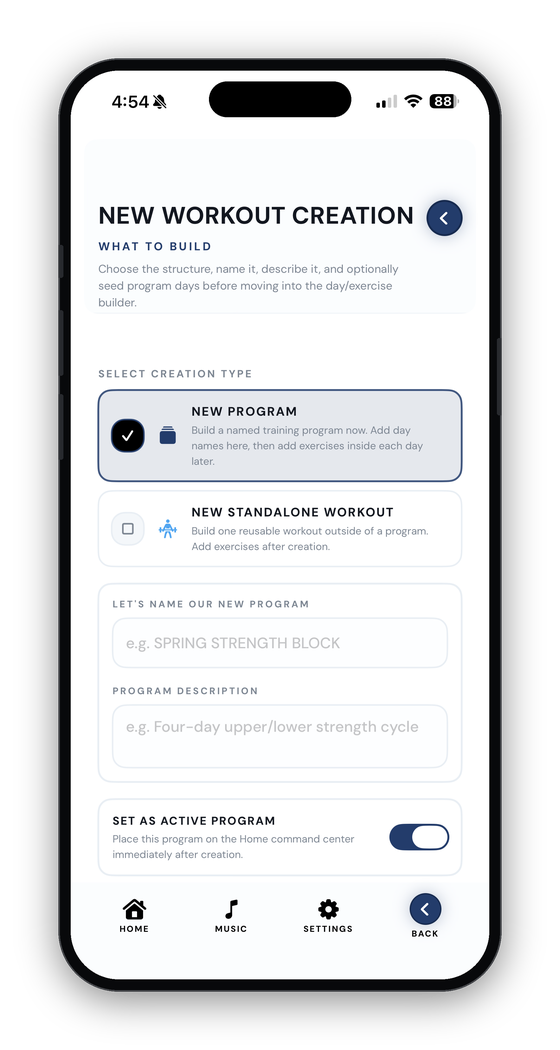
There are two paths here. Pick the one that matches what you're really doing today.
- ProgramUse this when the workout is going to repeat. Programs hold multiple training days under one name.
- StandaloneUse this when it's a one-time thing. No program, no schedule pressure. Just one session that exists on its own.
- Name itPick a name your future self will recognize. "Push Day" beats "Workout 1" every time.
- Schedule & saveDrop a workout onto a future date and it shows up on your calendar. Save the structure first so it's waiting for you next time.
Inside the builder
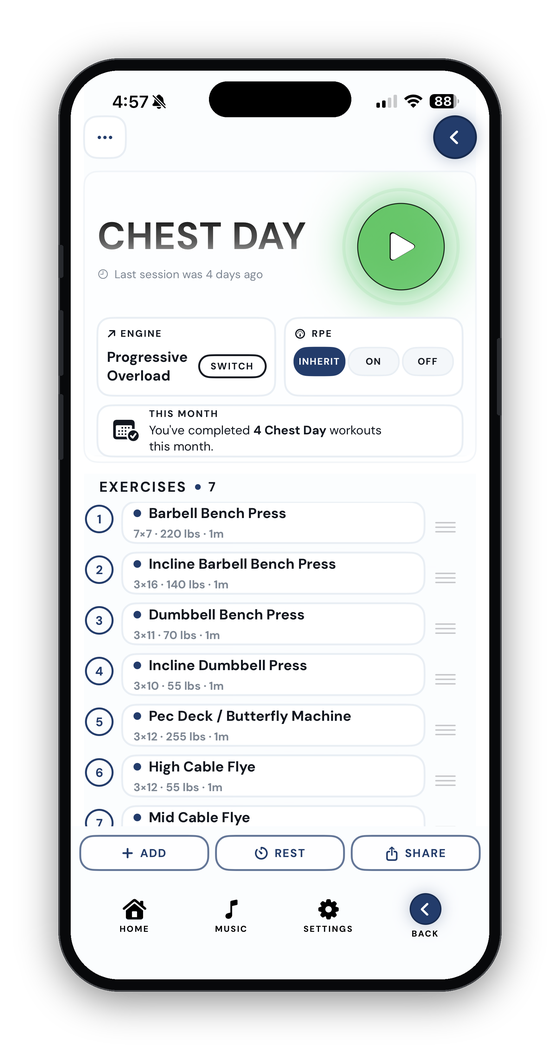
You've got a workout. Now we make it yours. None of this is required, but every choice you make here is one less thing to fiddle with while you're actually training.
- DaysA day is one session — Push, Pull, Legs, whatever you call it. Give it a name and an icon.
- ExercisesPick from a big catalog or invent your own. "Incline DB Press" tracks better than "chest stuff."
- EnginesFour flavors of "what comes next?" — and an override for a single exercise if bench wants 5/3/1.
- Warmups, supersets, drop sets, notesMark warmups so they don't mess up your PRs. Link exercises you always do back to back. Jot "grip felt off."
Let me help
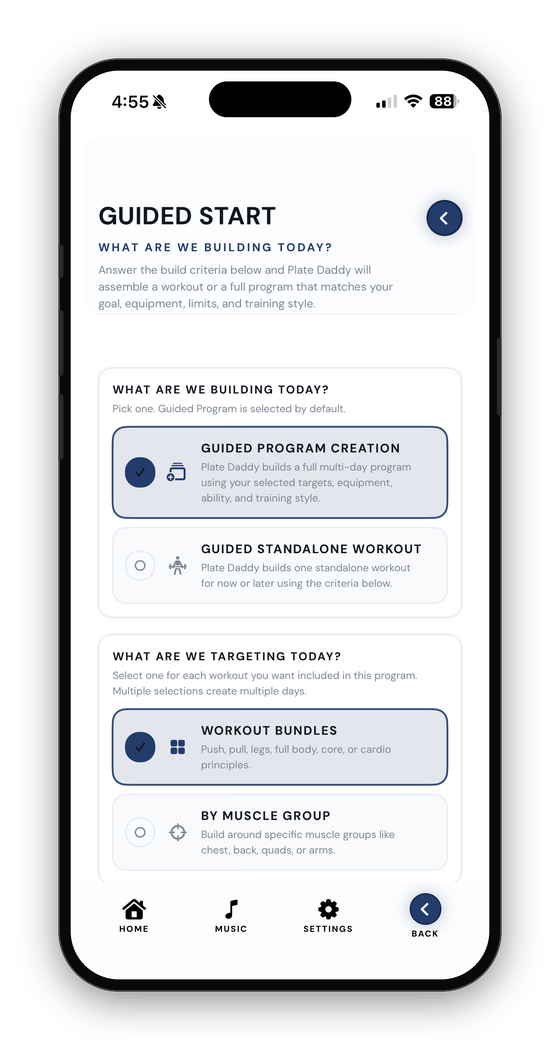
Don't feel like building from scratch? Answer a few questions and I'll put one together for you.
- GoalTell me what kind of workout you actually want: strong, big, fit, conditioned, or a little of everything.
- EquipmentOnly have dumbbells today? Say so. I won't suggest barbell deadlifts from a hotel room.
- AvoidIf your knee hates lunges, take lunges off the table. It's not weakness; it's smart filtering.
- ReviewLook the workout over before you train. Swap, edit, save. Make sure it actually fits today.
Doing the plate math
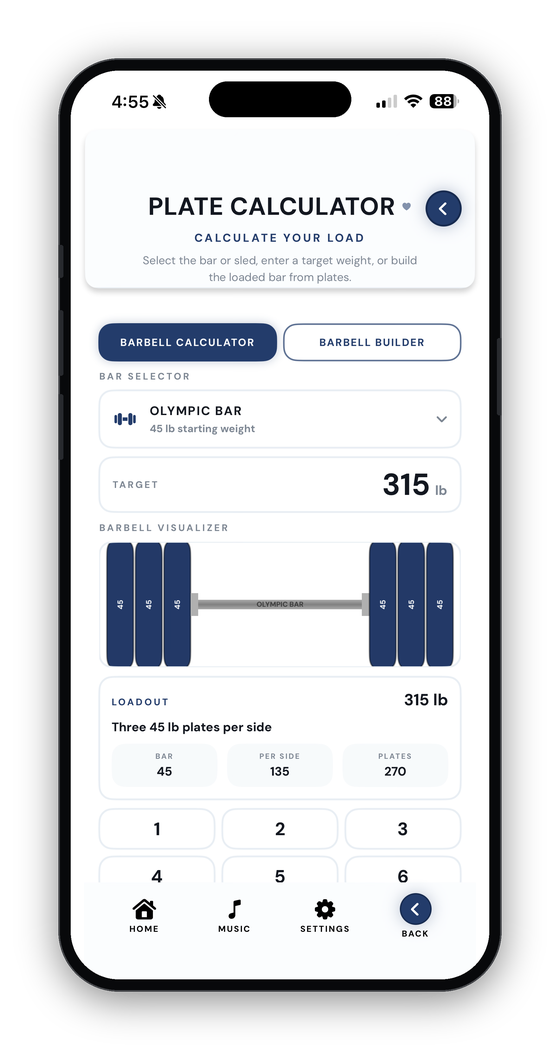
Tired brains hate math. Let the calculator handle it so you can stay focused on the set.
- Target inType a number. The app picks the plates and tells you exactly what to load on each side.
- Build the barStack plates by hand and watch the total climb.
- Real barsSmith machines, trap bars, curl bars, safety squat bars: none of them weigh 45. Set the real bar weight. Sleds have a base weight too.
- In the set rowThe fastest way to an answer: tap the calculator icon next to your weight. It opens already loaded with your target.
Your training calendar
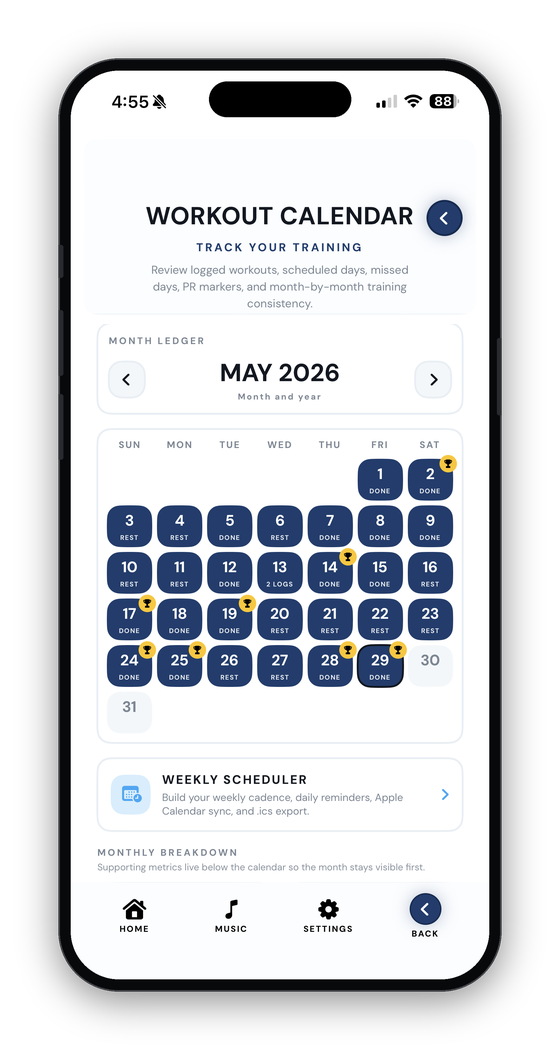
A month at a glance: what you did, what you missed, and what's coming up next.
- GreenDays you actually trained. Tap one to open the workout card and look back at what you did.
- RedPlanned days that came and went. Not there to make you feel bad, just to keep the picture honest.
- AmberWorkouts you've planned but haven't done yet.
- Weekly schedulerMap out your week, set reminders, push it to your phone's calendar.
What the numbers say
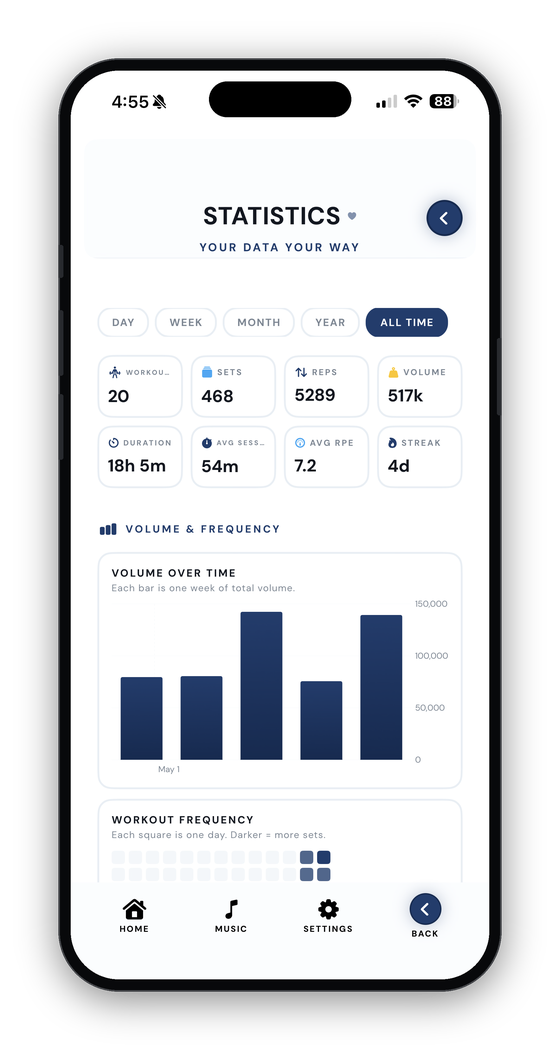
Once you've logged a few sessions, this page starts telling you a story. Volume going up. PRs piling up. A streak you didn't realize you were on.
- KPIsPick the four or five numbers that mean something to you and they get top billing.
- RecordsHeaviest weight, most reps, best estimated 1RM. Every PR lands here.
- Per liftSee whether your squat is climbing, plateauing, or having a rough month.
- Raw logWhen a chart looks weird, this is where you go to find out what actually happened.
Tracking your body
Strength changes don't always match the mirror. Here's where you keep score of the other side.
- One entry, one dateWeight, body fat if you have it, measurements, photos, a quick note.
- PhotosSame lighting, same angle, same time of day if you can manage it. Photos catch what the scale misses.
- ComparePick two dates and put them side by side.
- Comes with youSwitch phones and your photos and measurements come along, as long as backup is on.
Making it yours
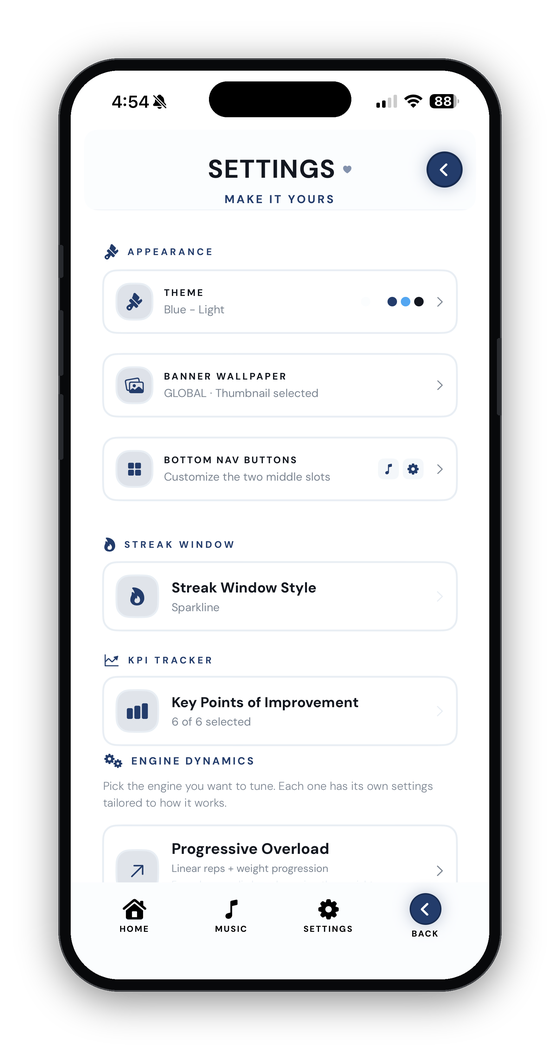
Settings is the control room. Spend ten minutes here and the app starts feeling like yours.
- ThemePick a look you actually want to open. The whole app changes together, not one screen at a time.
- Default engine & KPIsSet what new workouts inherit and which numbers lead.
- Streak styleDaily, weekly, or rolling, so your streak doesn't punish your rest days.
- Backup, Health, sharingTurn on iCloud now and switching phones later becomes a non-event. Mirror workouts to Apple Health. Send a workout to a friend.
For those who serve
Police, fire, EMS, nurses, and every branch of the military spend their lives carrying other people. Plate Daddy can't repay that, but it can let you train in an app that recognizes it.
- Loading iconSettings → Loading Icon. Gender-matched badges for every service, plus the trades, plus five color alternates.
- WallpaperSettings → Wallpaper. Patriotic and tactical backdrops for your Active Program banner.
- The PatriotA full Stars & Stripes skin: flag-navy surfaces, silver chrome, Old Glory red.






Your soundtrack
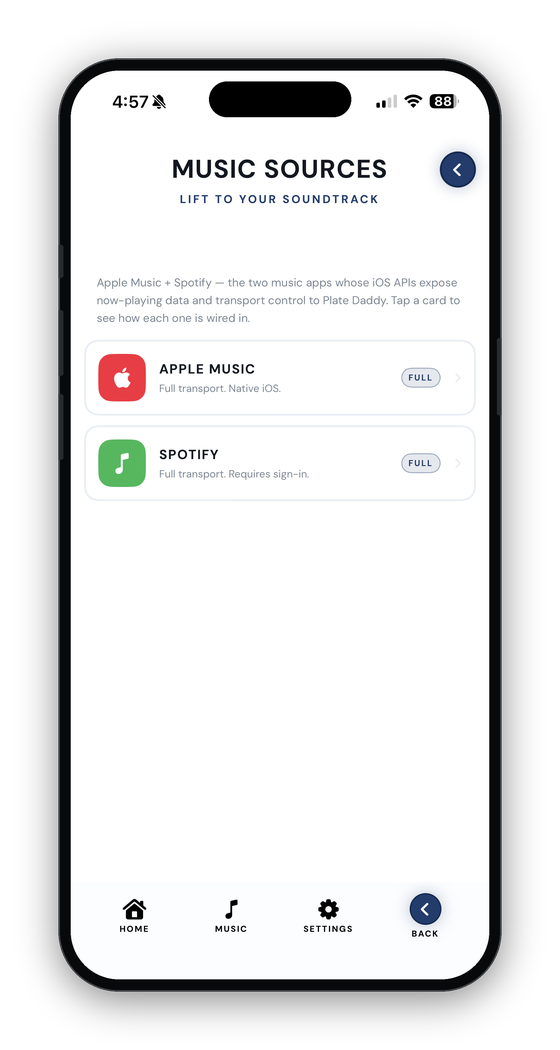
Plate Daddy doesn't make you bounce out to your music app between sets. The active workout has a tiny SOURCE + SONG marquee with play / pause / skip inline.
- Apple MusicNative iOS player. No sign-in, no extra permission prompt.
- SpotifyFull App Remote control: play / pause / skip and live now-playing. Sign in once.
- Swap mid-setTap the SOURCE pill to switch between them. The marquee re-reads from whichever you pick.
Sharing your wins
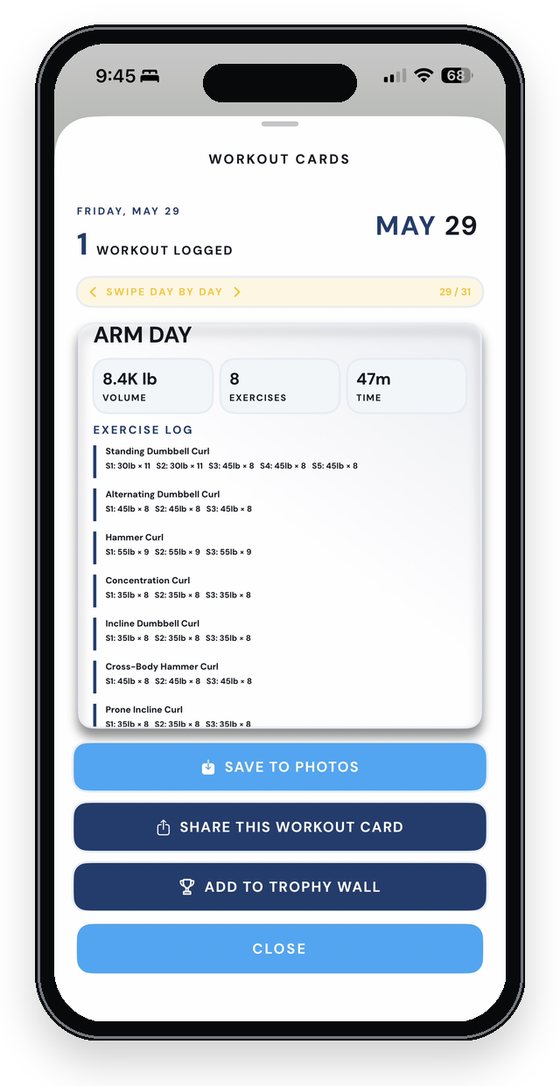
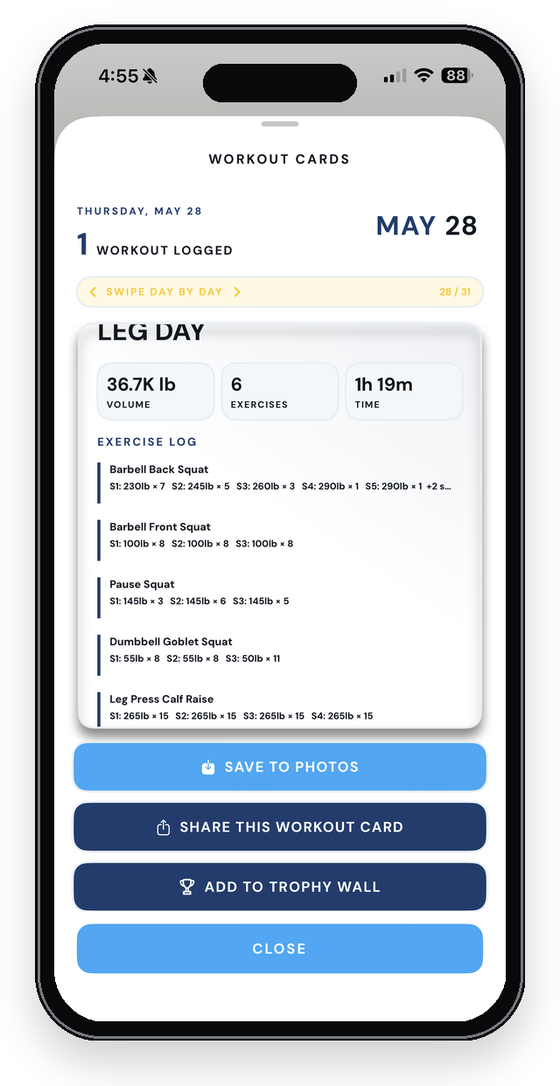
PR Certificates, finished-workout cards, and body-snapshot cards all route through the same share bar. No copy-paste, no manual photo picking.
- StravaPosts your finished workout as a Weight Training activity, engine context in the description.
- Snapchat & InstagramDirect to Stories. Cards pre-padded to 9:16 so nothing gets zoom-cropped.
- FacebookNative composer, pre-loaded with your card.
- Connect laterSettings → Connected Services. Every card respects whatever you've connected.
Your library
Programs and standalone workouts do different jobs. A little organization here goes a long way.
- My ProgramsWhere your repeatable plans live. Strength blocks, splits, anything you'll come back to.
- StandalonesOne-off sessions that don't belong to a bigger plan. Travel days, experiments, single-session circuits.
- Run againA saved workout, exactly as-is. No rebuilding, no remembering. Just press start.
- Send & tidyShare a clean copy with another Plate Daddy user. Rename duplicates, archive what you're not running.
Supersets & drop sets
Build them with a wizard, run them in rounds, log every set like a regular row. The app keeps the structure straight so you can just lift.
- BuildADD → SUPERSETS → NEW. Name it, pick muscle groups and equipment, choose exercises, set reps and engine, FINALIZE.
- On the day pageThe superset's name is a title banner and its exercises sit indented beneath it, like files in a folder.
- In the workoutThe round you're on is open; the rest wait as collapsed banners. LOG ROUND seals it. Round 1 prefills Round 2.
- Drop setsOne exercise, falling weight, minimal rest. ADD ROUND extends it on the fly.
95 lb × 8
25 lb × 15
60 lb × 15
An engine that adapts
Machines run out of plates and some days the reps just aren't there. Your engine knows what to do in both cases.
- MAXTap the MAX pill or set Max Weight. The engine stops pushing weight and works reps, up to 25, then adds sets, up to 10.
- RecoveryMiss your reps and the next session holds the weight while the reps rebuild, one at a time.
- Are you sure?Bumping the weight past the plan gets a respectful check. Rep changes never do.
- Statistics drawerUnder every exercise, a chart of your full history with the MAXED ceiling marked.
You're ready.
Build a workout. Go train. Look at what happened. Adjust for next time. That's the whole thing. Everything else is just helping you do those four things a little better.