iOS · Version 1.95 · Free to start
The log that programs you.
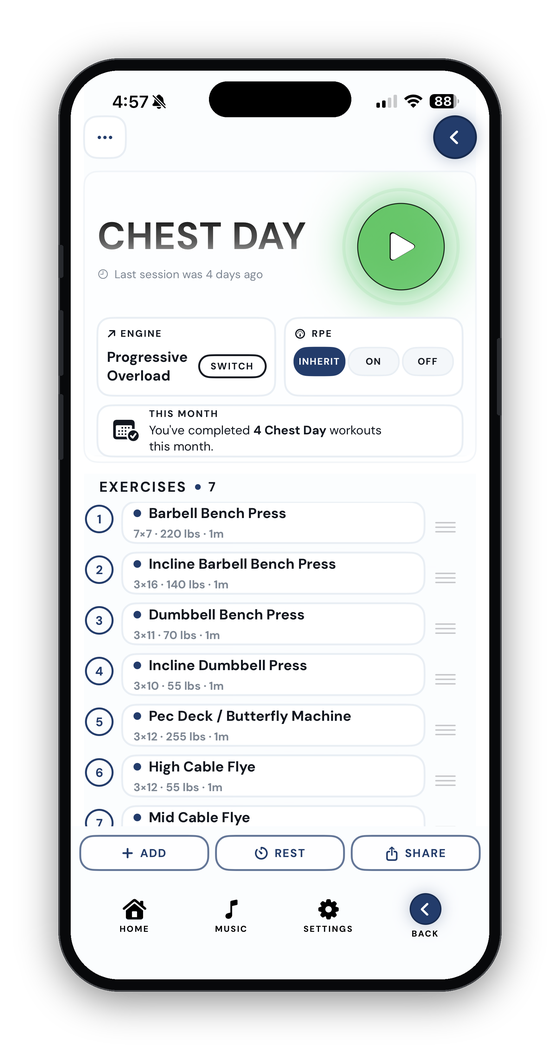
Bench, curl, row, press. Plate Daddy picks the load and reps for every set, runs the rest clock on your Lock Screen, catches every PR the instant it happens, and adapts when the machine maxes out or the reps aren't there.
Squat, lunge, hip-thrust. Plate Mommy picks the load and reps for every set, runs the rest clock on your Lock Screen, catches every PR the instant it happens, and adapts when the machine maxes out or the reps aren't there.
New in 1.95
More than a notepad. By a lot.
The app got a second half this year. Everything below is live in the current build, not on a roadmap.
Supersets & drop sets
Build them with a wizard, run them in rounds, log every set like a regular row. Round 1's numbers prefill Round 2. Or tap "Convert to drop set" mid-workout when you're feeling dangerous.
NewAn engine that adapts
Cap a machine and progression moves into reps, then sets. Miss your reps and the next session holds the weight while you rebuild. No spreadsheet thinking required.
NewGuided workout builder
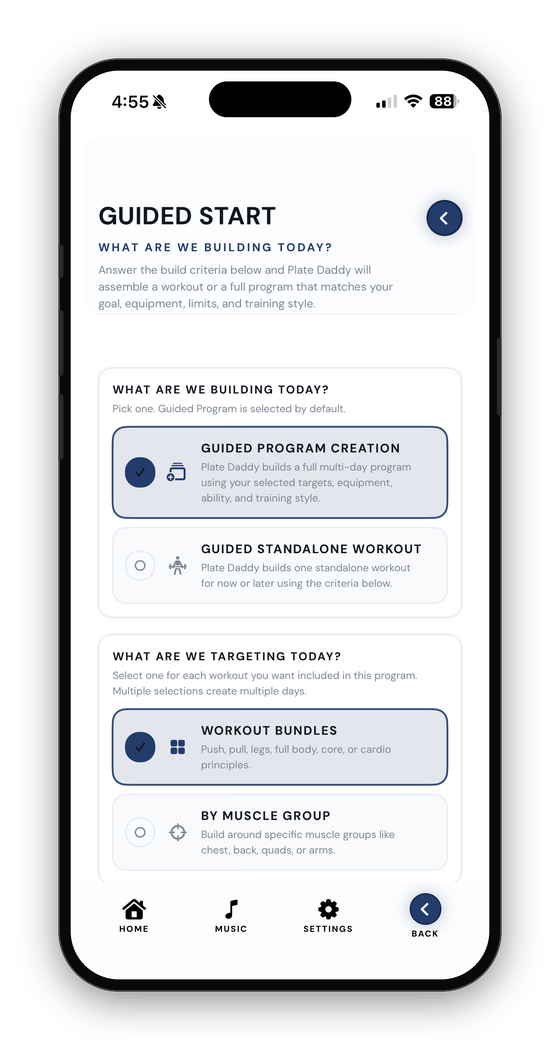
Answer a handful of practical questions — goal, gear, time, energy, what to avoid — and get a full workout or multi-day program that respects all of it.
NewRest timer on your Lock Screen
Log a set and the clock starts on its own — in the app, on the Lock Screen and in the Dynamic Island. A ding when it's done, a buzz if you're on silent.
NewMeal planning
Daily protein, carbs, fat and water on a calendar. Scan a barcode for branded foods, generate a quick meal from a protein you have, and let reminders keep the day on track.
NewLearn library
329 illustrated how-to guides with start and finish photos, target muscles and numbered coaching steps. Tap the "i" next to any exercise mid-workout to open its guide.
NewBody metrics with photos
Weight, body fat, nine measurements and progress photos on one timeline. Pick two dates and put them side by side.
NewBring your history
Import from Strong, Hevy or Jefit. Every exercise is matched against the 483-entry catalog, and the importer never rejects a file.
New30 themes & a designer
Twenty standard looks, ten premium ones, 170+ banner wallpapers, badges for your service or trade, and a Theme Designer for building your own.
Build
Two ways to get a workout. Neither is a spreadsheet.
Build it yourself in New Workout, or answer questions and let the Guided builder put one together. Either way, supersets and drop sets are first-class citizens.
Guided workout
Say what you've got. Get a plan that fits it.
A single workout or a full program. What you're hitting, the goal, how heavy, how many sets, how much time, where you're training, what equipment you have, cardio or not, experience, energy right now, anything to avoid, how you like to train, rest between sets. Then it builds.
- Equipment-aware. Only dumbbells today? It won't suggest barbell deadlifts from a hotel room.
- Honest about energy. Rate it 1–10 and intensity scales to match.
- Exclusions respected. Skip body parts or specific exercises by name.
- Yours to edit. Swap, tweak, save, or set it as your active program.
Supersets & drop sets
Pair the work. Keep the structure.
A superset is two or more exercises done back to back as one round, and building one used to be the hard part. Now a wizard walks you through it: name it, pick the muscles and machines, choose the exercises, set the reps, done.
- Folders on the day page. The superset's name is a title banner and its exercises sit indented beneath it.
- Rounds run themselves. Finish a round and it folds up while the next one opens. LOG ROUND seals it.
- Round 1 prefills Round 2. Same exercise, same numbers, confirm or tweak.
- Drop sets, same polish. One exercise, falling weight, minimal rest. ADD ROUND extends it on the fly.
80 lb × 10
150 lb × 12
50 lb × 15
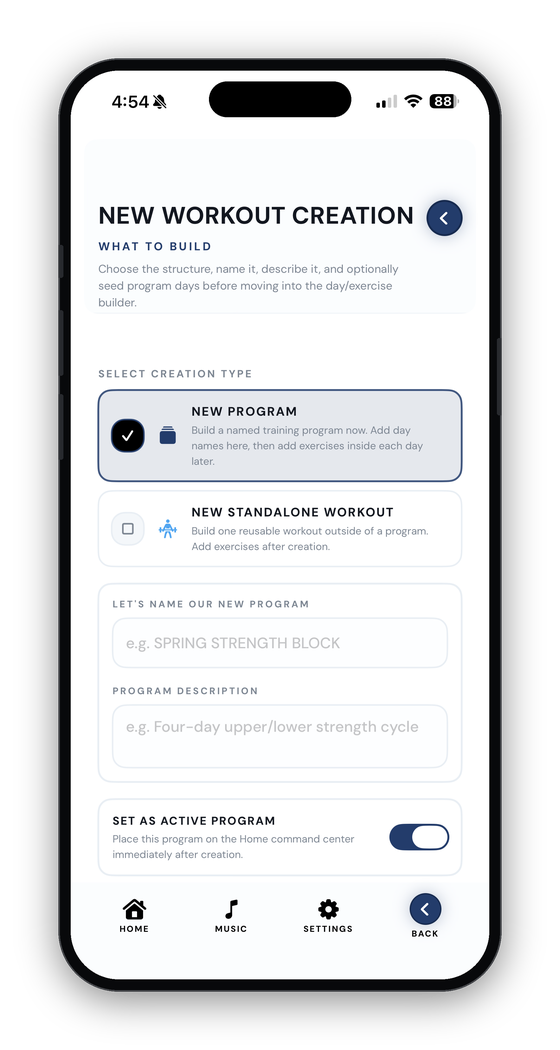
New Workout
Programs for the plan. Standalones for the one-offs.
A program is something you'll do again — Push/Pull/Legs, Upper/Lower, a 12-week strength cycle. A standalone is a hotel session, a trial routine, a circuit a friend sent. Pick whichever you really mean.
- Days with names and icons. Push Day beats Workout 1 every time.
- 483 catalog exercises or build your own. Warmup sets, notes, rest, RPE per exercise.
- Engine per exercise. Most of the day on Progressive Overload, bench on 5/3/1? Override just that one.
- Send it to a friend. Share a clean copy of any program or workout to another Plate Daddy user. Your history stays private.
Lift
Built for sweaty thumbs between sets.
Most of your minutes in Plate Daddy are spent actually training. So the active workout is where the care went.
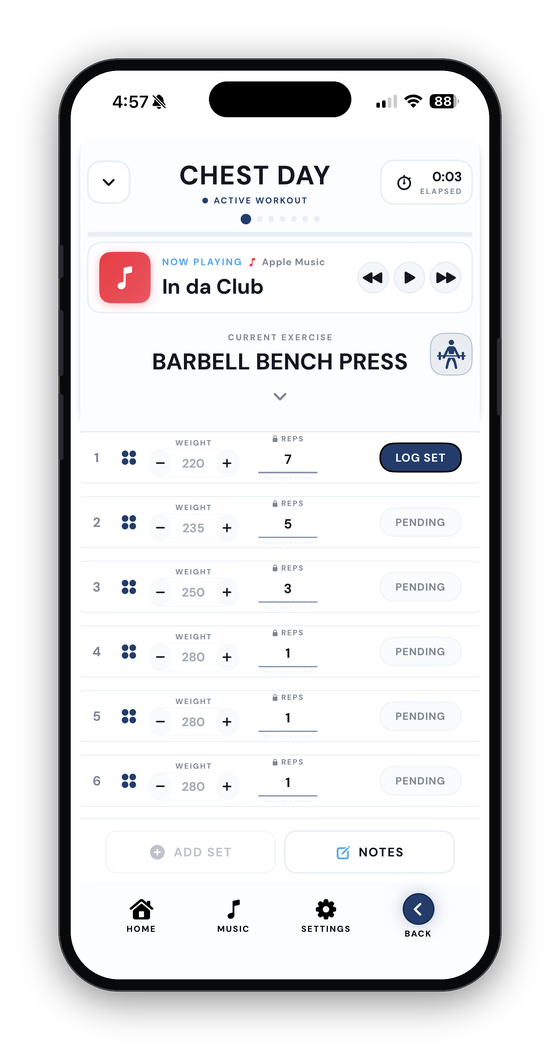
Look at the target. Tap LOG. That's the whole job.
- Targets, not blanks. The engine hands you the exact load and reps for every set. Change them if reality didn't match the plan, then log.
- Rest clock that runs itself. Starts the moment you log. Lives on the Lock Screen and in the Dynamic Island. Ding when it's done, buzz on silent.
- LAST TIME, with an edit button. Entered set three wrong last week? Fix it right there, and the engine recalculates.
- Small touches. Repeat set, inline plate calculator, notes, history pill, warmup toggle, RPE, an "i" that opens the exercise's how-to guide.
- Return to Workout. Wander off to the calendar or the calculator and a banner drops you back on the set you were on.
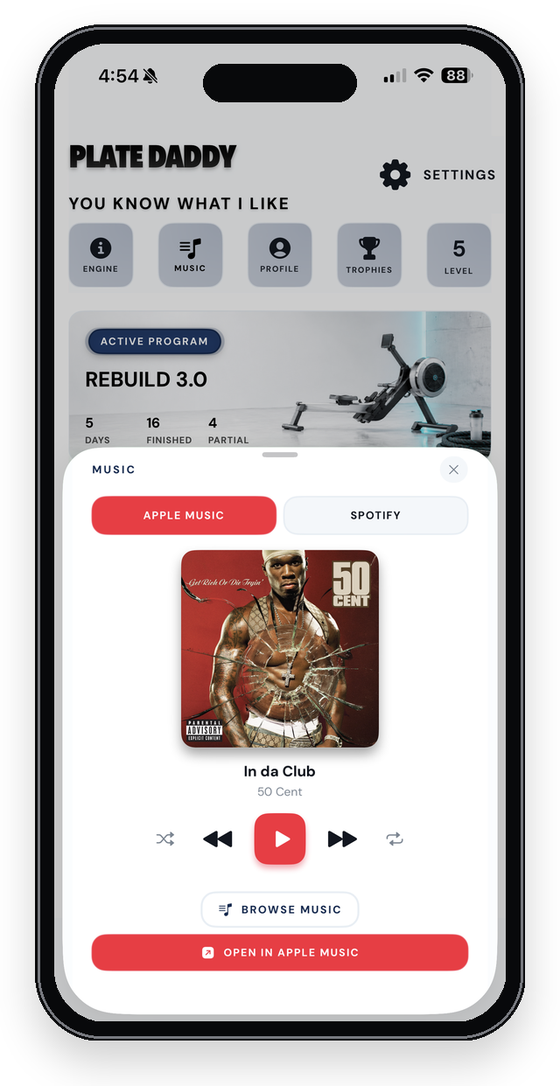
- Music without leaving. Apple Music and Spotify in a marquee on the set screen. Swap sources mid-set.
The engines
It does the math. You move the weight.
Four flavors of "what comes next?" Set a default in Settings, override it per program, per day, or per exercise. Then an engine that knows the cable stack tops out at 200 and some nights set three doesn't have eight reps in it.
Progressive Overload
Nudges weight and reps up as you complete work. Bench 135×5 → 140×5.
Power Matrix
A fixed 7-set pyramid every workout. Structure you can feel.
5/3/1
Training max at 90%, four-week cycles, AMRAP top sets. The percentages are done for you.
Manual
Stays out of your way. Last session shows in gray; you steer.
200 lb × 14
200 lb × 14
200 lb × 12 (target 14)
Track
Proof you can read instead of vibes.
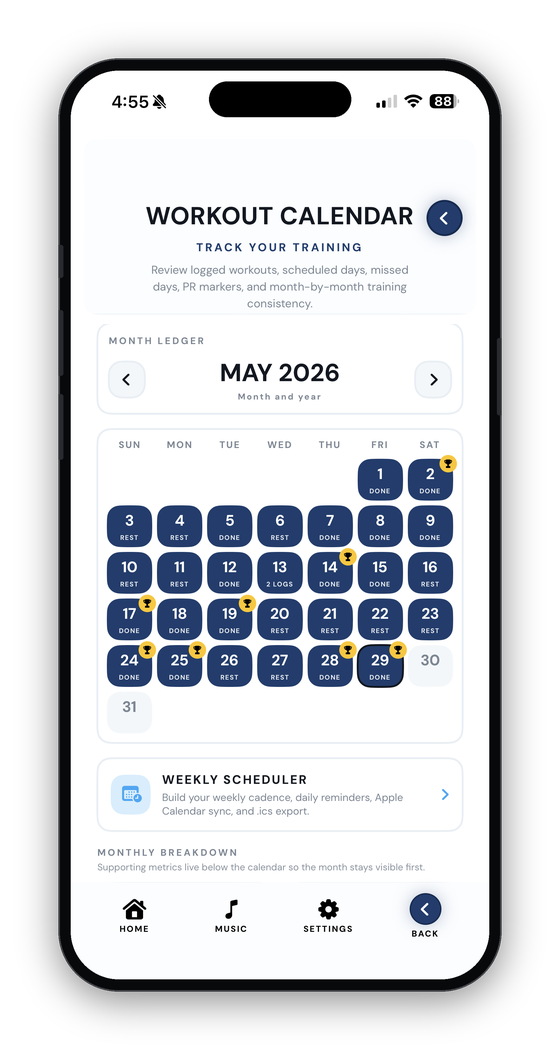
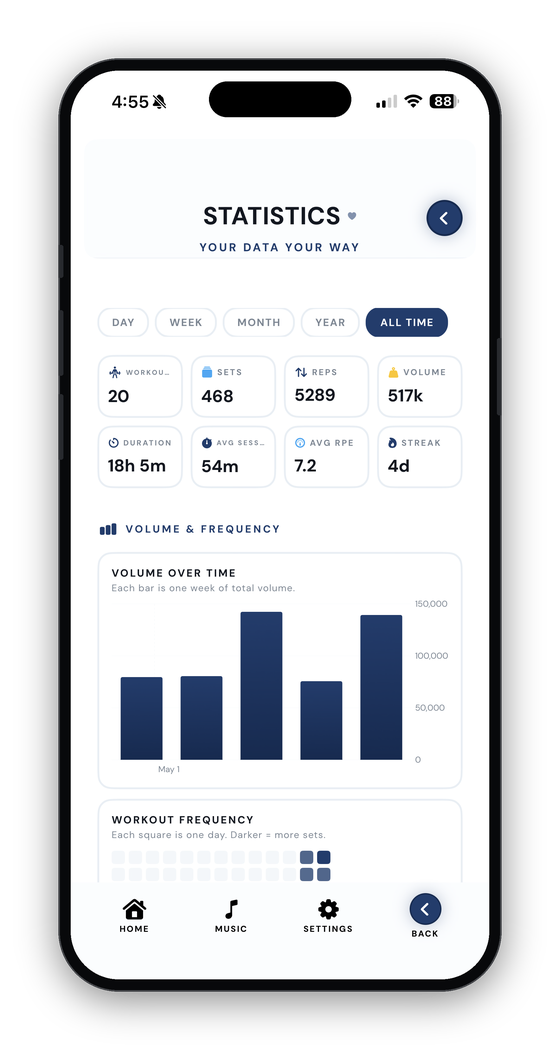
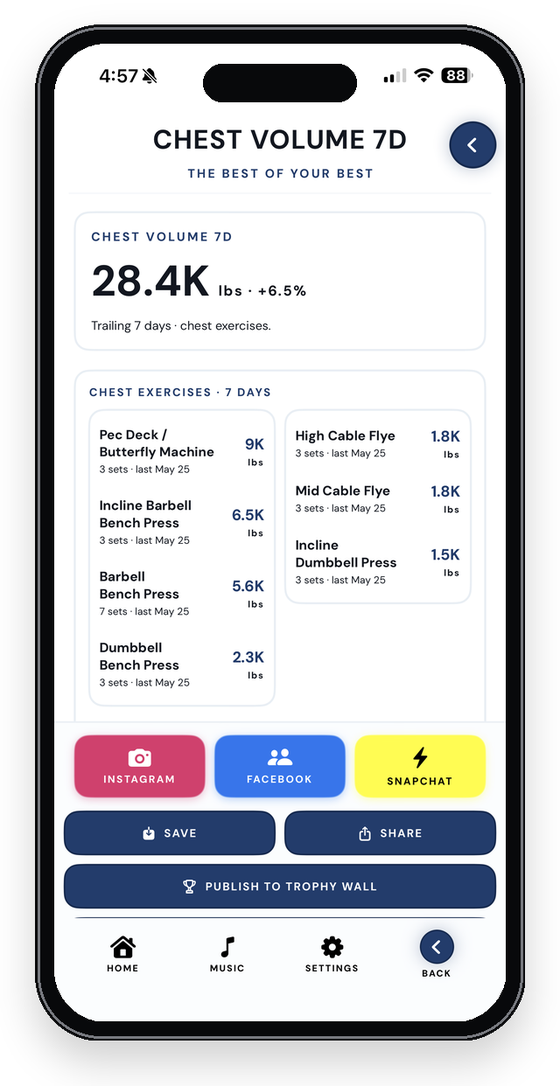
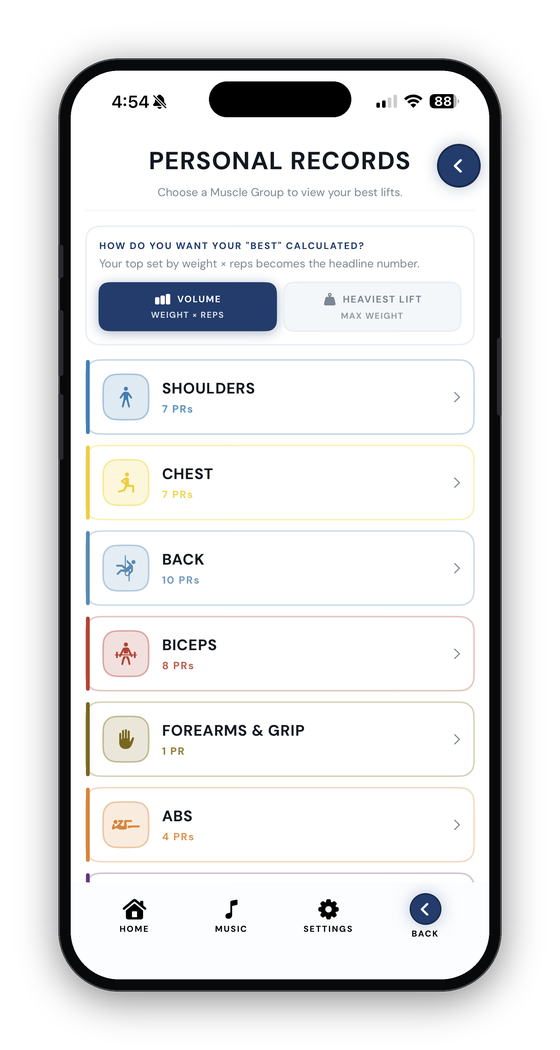
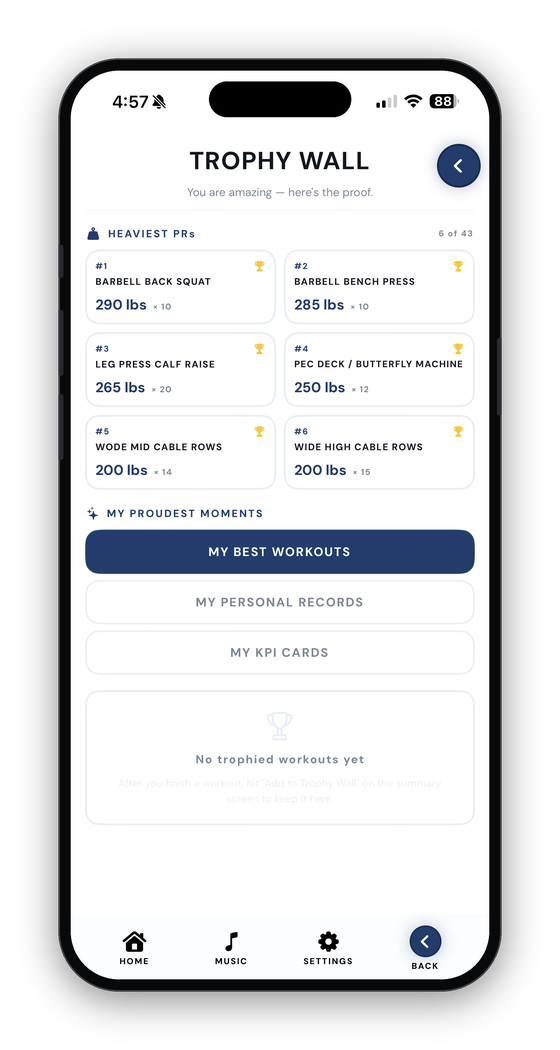
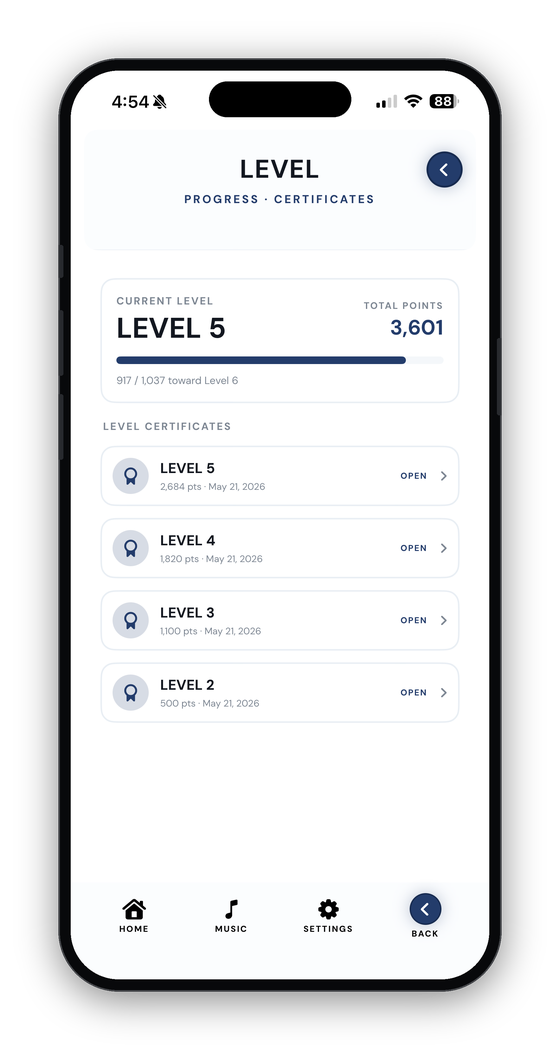
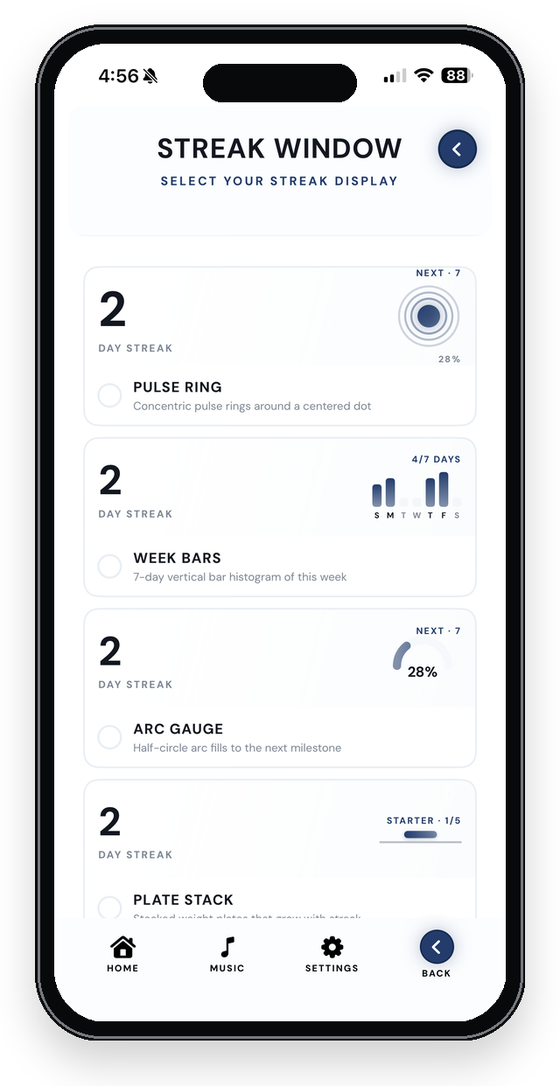
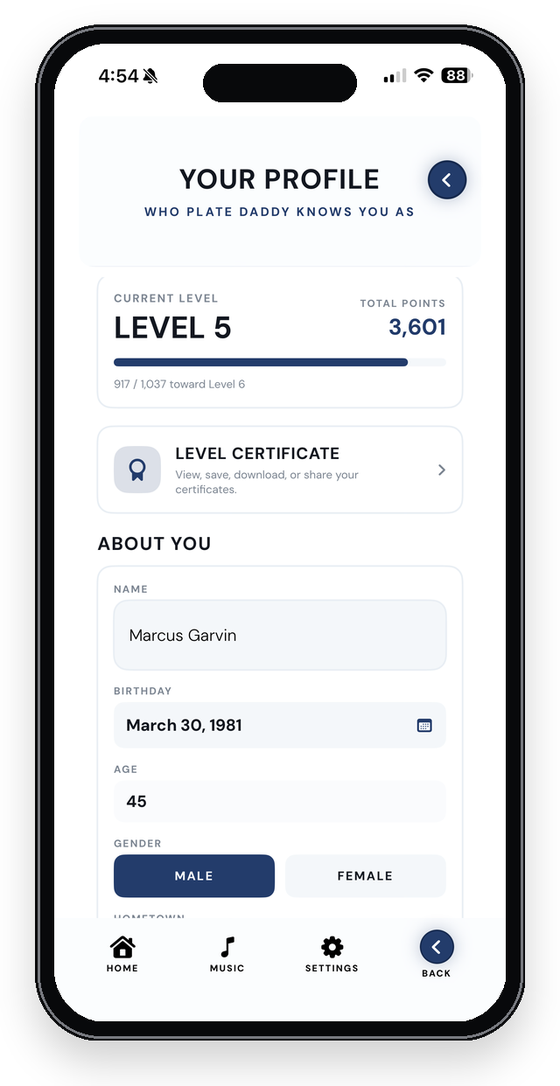
Once you've logged a little work, the app starts telling you a story: volume going up, PRs piling up, a streak you didn't realize you were on.
Body metrics
Strength changes don't always match the mirror.
Your bench can stall for a month while your waist drops two inches. Or the opposite. Body Metrics is where weight, measurements and progress photos live together so you can see how things are really changing.
- One entry per date. Weight, body fat if you have it, nine measurements, photos, a quick note.
- Side by side. Pick two dates and compare. Way more useful than remembering March.
- Private by design. Photos are saved inside the app and never uploaded, shared or analyzed.
Fuel
Meal planning that speaks plain English.
Log protein, carbs, fat and water on a calendar, one entry per day. Scan a barcode and branded foods come back from the USDA database, cached on your phone so they work offline after the first look.
- Quick Meals. Pick a protein, toggle snack or meal, get a recipe. Regenerate for the next option, log it into the day.
- Build My Day. A goal questionnaire sets targets; the gap engine tells you what's still missing.
- Reminders that stay fresh. Every time you log a meal, the rest of today's reminders reschedule with the new numbers.
- Apple Health. Macros mirror to Health when you turn the sync on.
Share
Flex on the feed. The right way.
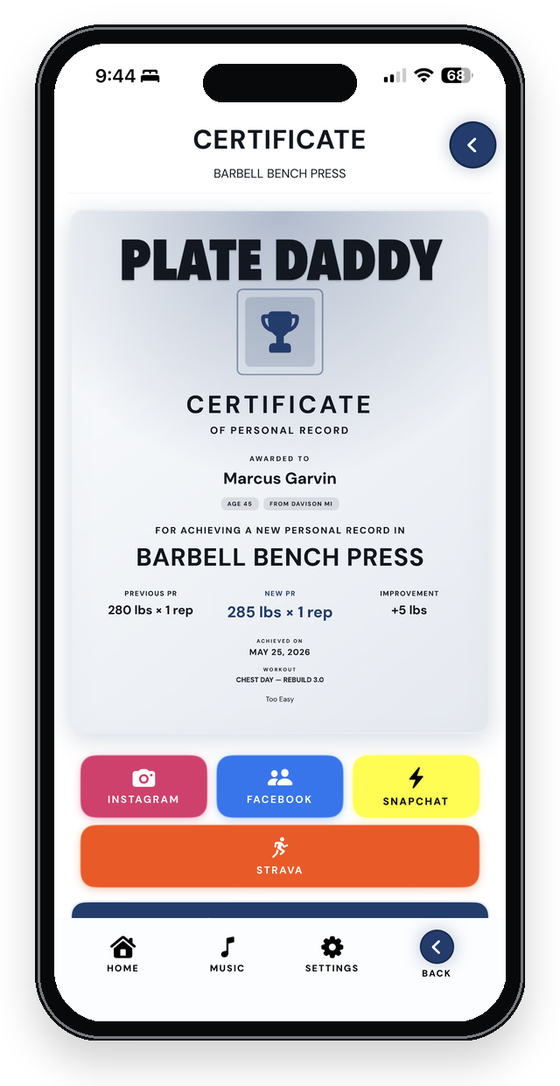
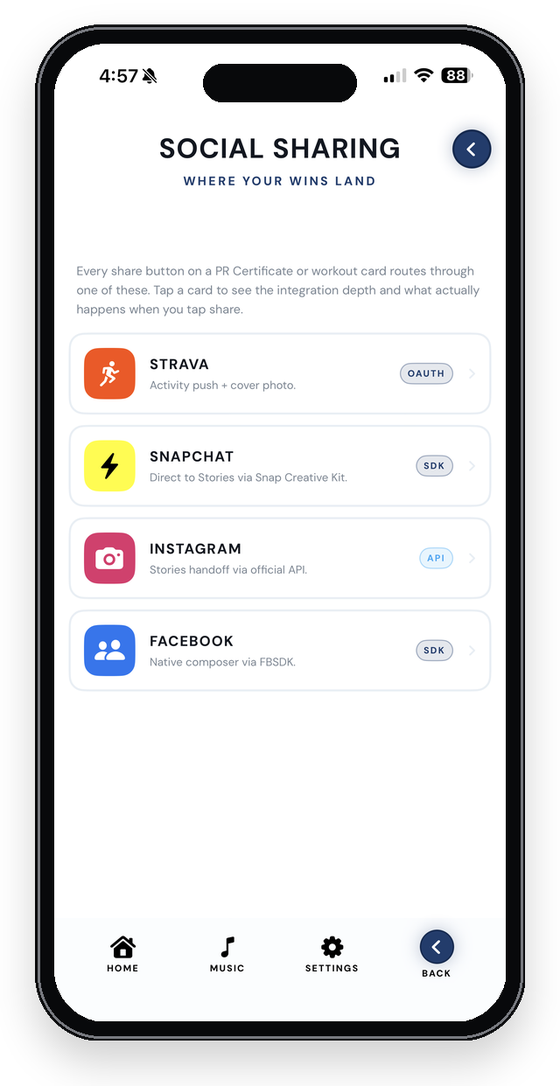
Every PR generates a printable certificate. Finished sessions become cards with the day name, exercises and PR badges baked in. Body snapshots get the same treatment. One share bar, wired to the deepest integration each platform allows.
Strava
Posts the workout as a real Weight Training activity through the REST API, engine context in the description.
Instagram & Snapchat
Straight to Stories. Cards are pre-padded to 9:16 so nothing gets zoom-cropped.
Opens the native composer pre-loaded with your card. Auto event logging is off.
Save to Photos
Keep certificates and cards on your camera roll, or set one as wallpaper.
Own it
Ten minutes in Settings and it's yours.
30 looks. One tap.
Light and dark in eight colors, plus named worlds like Golden Eye, Olive Drab, Day Walker, Silverfish and The Patriot. Premium skins for the men (Silverback, Detroit Leather) and the women (Mama Bear, Crowned Heart, Detroit Lace). Build your own in the Theme Designer.
Browse the themes →Wear your service. Or your trade.
Loading badges for police, fire, EMS, nurses, every military branch, and the trades: mechanic, construction, farmer, truck driver, teacher and more. Patriotic and tactical wallpapers for your program banner. A full Stars & Stripes skin.
Offline. No account. Backed up if you want.
Everything lives on your phone. Turn on iCloud sync and it follows you to your next one; every upload also keeps a timestamped snapshot you can roll back to. Export a full backup or a universal CSV any time. Optional Apple Health sync writes finished workouts to the Health app.
One app · Two icons · Every lifter
Strong has no gender.
Tap a side and the whole site becomes yours — palette, exercises and screens all swap. Same engines, same gains, same price. In the app, set your gender once and the right icon, themes and badges appear on their own.
Pricing
Free to start. Pro for less than your pre-workout.
Log forever for free, with the Manual engine and a six-month trial of Progressive Overload. Pro unlocks every engine, the Guided builder, Calendar, Statistics, Body Metrics, Meal Planning and the premium themes.
Free
$0
Log forever. No account required.
- Programs, standalones, supersets & drop sets
- Manual engine + 180-day Progressive Overload trial
- Plate calculator, Learn library, music, sharing
- Trophy Wall, levels, streak, Lifter ID
- iCloud backup & export
Pro · Monthly
$1.99/mo
Everything unlocked. Cancel any time.
- All four engines, forever
- Guided workout builder
- Calendar & weekly scheduler
- Statistics, KPI dashboard, in-workout charts
- Body Metrics & Meal Planning
- Import from Strong, Hevy & Jefit
- Premium themes
Pro · Yearly
$14.99/yr
Same Pro, about $1.25 a month.
- Everything in Pro
- One renewal a year
Pro · Lifetime
$34.99once
One purchase. Never renews.
- Everything in Pro
- Every future update